Monitoring agents with Legion Web
View Sourcelegion_web is a
LiveView dashboard, packaged separately from Legion, that follows every
agent live: prompts, generated snippets, and results, built on the
telemetry events Legion
already emits. It shows every user's conversations, so mount it behind
authorization before you expose it.
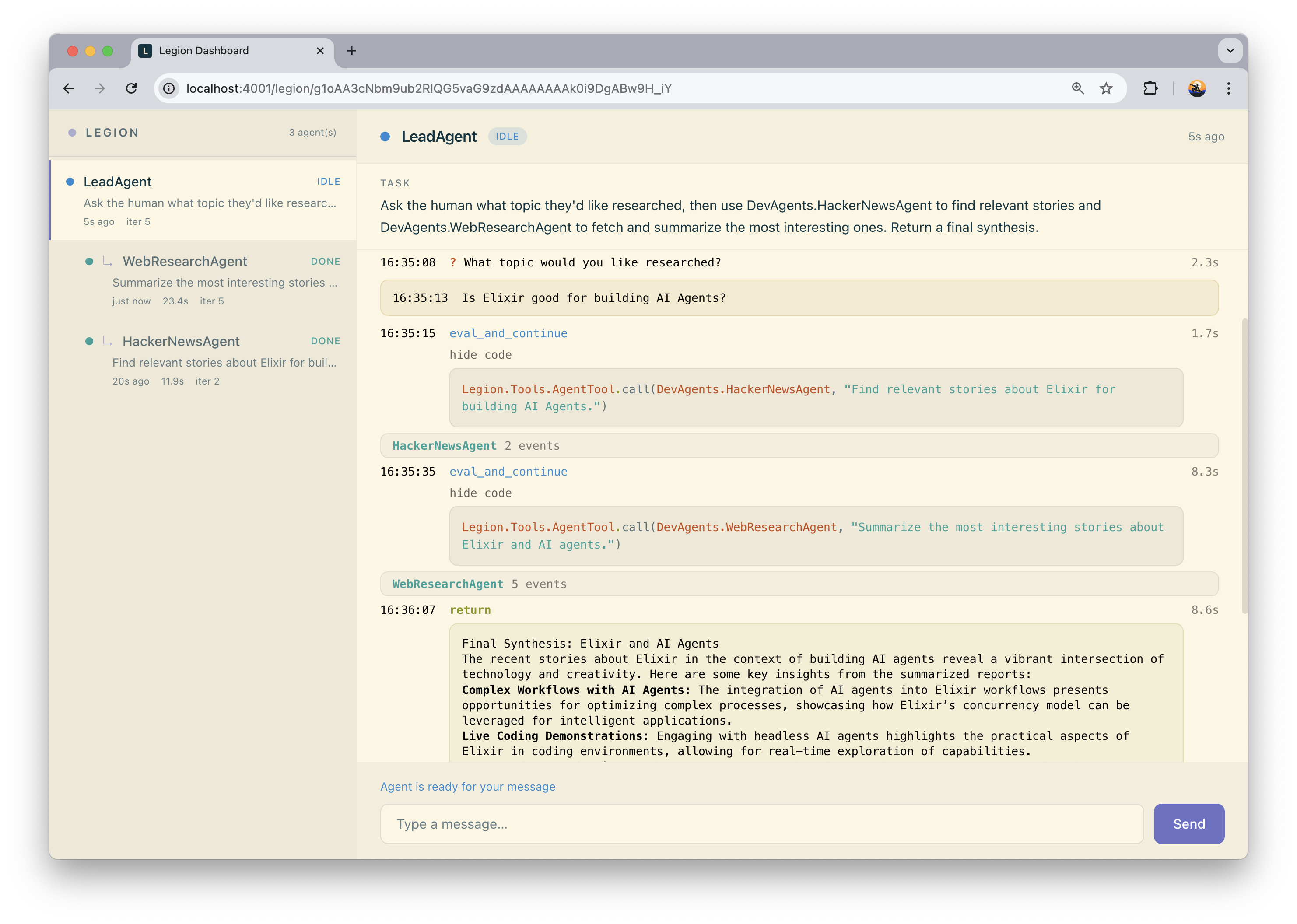
Each conversation expands into its iterations, the Lua or Elixir it
generated, and what came back from your tools. Without a store, the
dashboard only shows agents still running in this node; add
Legion.Store.Postgres (see Installation) to keep
conversations around after an agent stops or the app restarts.
Install
mix hex.info legion_web
# mix.exs
{:legion, "~> 0.6"},
{:legion_web, "~> 0.5"}
mix deps.get
With :igniter in the project, mix legion_web.install adds the import
and a /legion route behind :browser alone. Move that route into an
authorized scope before you deploy, as below.
Mount it behind authorization
:browser plus a signed-in check is not enough: any signed-in user would
read every other user's prompts and results. Put the route behind a
pipeline that rejects non-admins, or, if the app has none, behind a
dev-only block.
# lib/my_app_web/router.ex
import LegionWeb.Router

# admin-only scope - the pipeline must reject non-admins, and on_mount
# repeats the check on the LiveView socket
scope "/admin" do
  pipe_through [:browser, :require_admin]
  legion_dashboard "/legion", on_mount: [{MyAppWeb.UserAuth, :require_admin}]
end

# dev-only block, when the app has no admin pipeline
if Application.compile_env(:my_app, :dev_routes) do
  scope "/dev" do
    pipe_through :browser
    legion_dashboard "/legion"
  end
end
Run mix phx.server and visit the route you mounted.